Your Favorite Models — All in One Place, with Unlimited Generations.

Enjoy Limited Time 50% OFF! ›

AI Short Video Generator

Describe the clip playing in your head, refine what the AI short video generator gives you, and shape it by vibe. You stay in the creative seat, and you leave with a finished short ready to post.
AI Short Video Generator

Describe the clip playing in your head, refine what the AI short video generator gives you, and shape it by vibe. You stay in the creative seat, and you leave with a finished short ready to post.

Try Now
#2BenefitsEdit in CMS ↗

Key Benefits of AI Short Video Maker

You direct the clip

You don't operate the tool. You vibe with it. You set the hook, the look, and the pace, and the short follows your lead.


Shorts by vibe

Say what you want in plain words, like make the opening punchier or cut this tighter. The short responds and reshapes around your note.

Get a finished short

Arrive with an idea and leave with a real short video. The output is the point, ready to post, not a rough clip to fix later.

#3Community GalleryEdit in CMS ↗

Community Creations

See what people are vibe directing into short videos with OpenArt Director, from creators feeding a daily posting habit to small teams making shorts that look like a studio shot them.

#4Features DetailEdit in CMS ↗

Key Features of AI Short Video Generator

AI short video creator runs on OpenArt Director, which is powered by the best AI video and image models, including GPT Image 2, Seedance 2.0, and more.

Start with your hook

Type the short that's been playing in your head and Director gets to work. You don't open an editor or learn a workflow. You describe the hook, the action, and the vibe in your own words, and the first cut comes back for you to react to.

Make scroll-stopping shorts

Tell Director what to change the way you'd talk to an editor. Say tighten the intro, land the punchline sooner, or make the pacing snappier. Every note reshapes the short, so you keep directing by feel until it holds attention from the first second.

Fits every format

Direct your short for wherever it lives, from vertical for Reels and Shorts to square or wide. Director keeps your look consistent across every cut you make. When you want a new aspect ratio or style, you just say so.

Leave with a finished short

Director hands you a finished short, not a draft to rebuild elsewhere. You can keep refining as long as you like, then post it straight to social or batch out a whole week of clips.

#5How To UseEdit in CMS ↗

How to Make an AI Short Video

Vibe directing an AI short takes three steps.
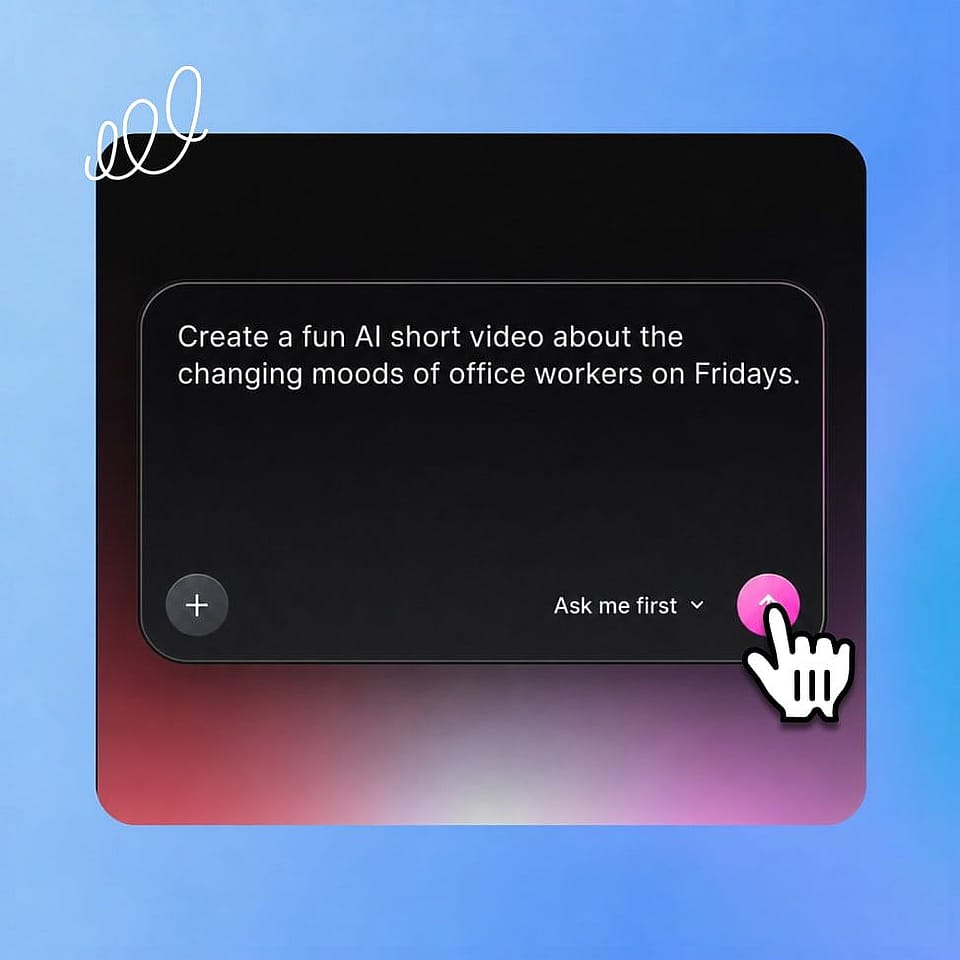
Describe your short.
Step 01

Describe your short.

Type the clip in your head into the prompt box. Add a music track for the audio, a reference image, or one of your saved characters and worlds.
Set the direction.
Step 02

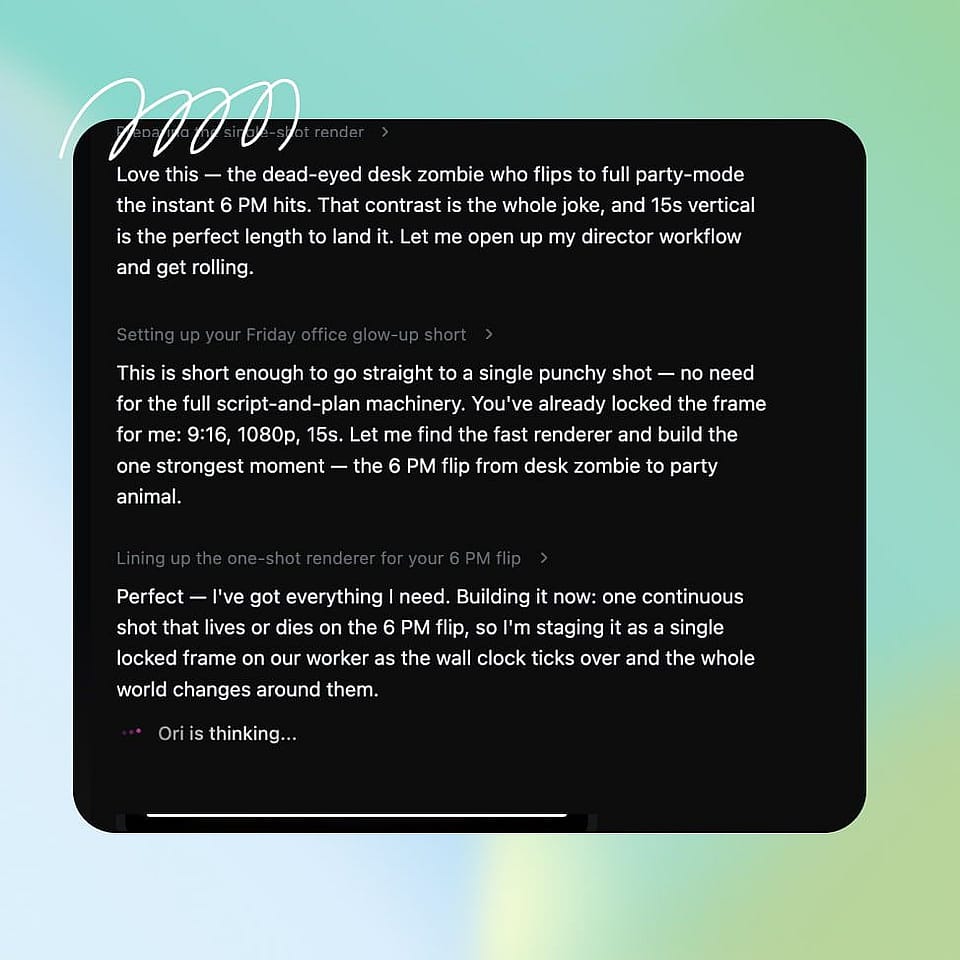
Set the direction.

Let Ori, your AI assistant, ask you about resolution, aspect ratio, and the vibe of the clip, or run it automatically. Then hit Start Directing.
Watch it come together.
Step 03

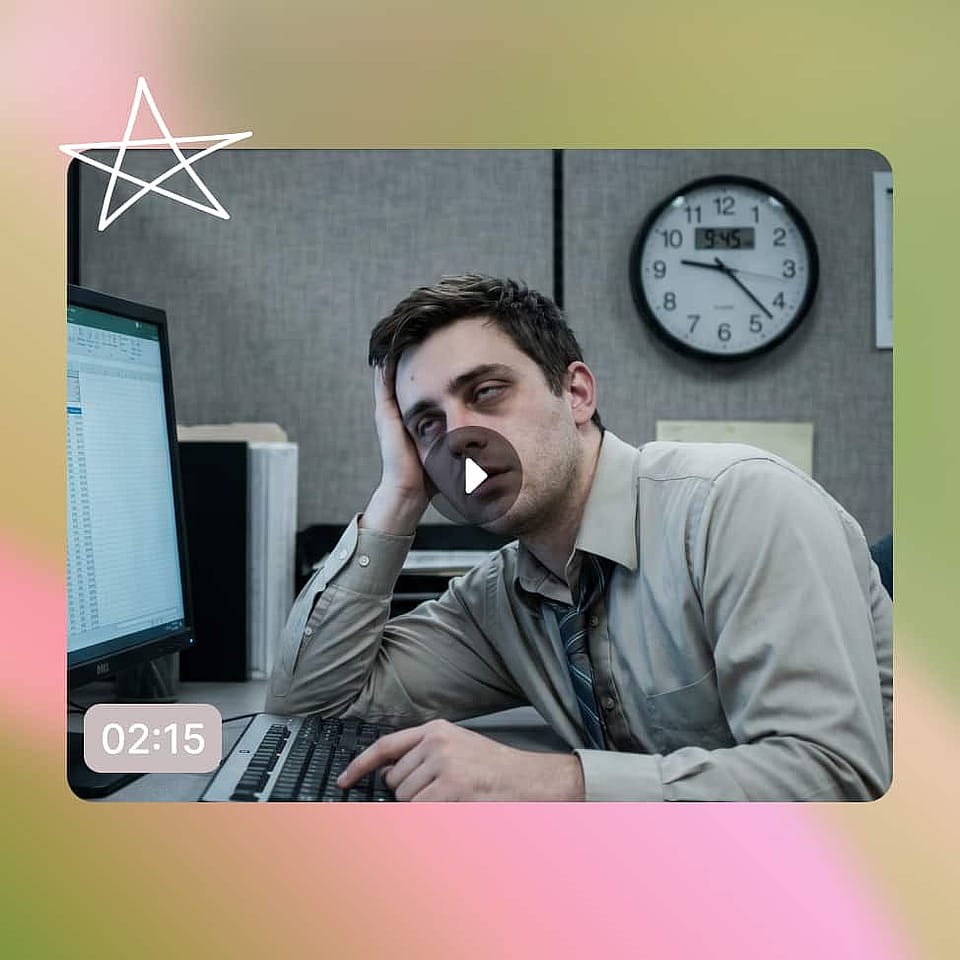
Watch it come together.

Follow Ori's steps as it works, then review your cuts in Scenes or your finished short in Timeline.

#6Use CasesEdit in CMS ↗

Built for Every Kind of Short Video

From a creator posting daily to a brand testing ads, OpenArt Director gives you finished shorts without a production line.

Social & UGC creators

You post short videos and need a steady stream that stops the scroll. Director turns each idea into a finished clip you can ship, so you keep a daily habit without burning out. The makers already living on every new tool will push it the hardest and post first.

Try it Now

Small businesses

You run a business and need short videos that sell without a production budget. Director directs product clips, promos, and ads that look professional. You test more ideas in a week than a shoot would give you in a month.

Try it Now

Educators and explainers

You teach or explain things and want short videos that hold attention. Director helps you direct clear, watchable clips scene by scene. Working pros use the same flow to ship more explainers without booking an editor.

Try it Now

Hobbyists and storytellers

You have a short idea and just want to make it. Director takes your clip from a thought to a finished short you can share with friends or post anywhere. You've been directing these moments in your head for years, you just never called it that.

Try it Now

Frequently Asked Questions

It is an AI tool under OpenArt's Director product used to make short videos. You describe the clip you want, shape it by feel, and leave with a finished short. You stay the director the whole way through.
No. If you can describe the short in your head, you can direct it. Director handles the crew so you can stay focused on the hook and the story you want to tell.
Yes. You direct the format in plain words, from vertical for Reels and Shorts to square or wide. Director shapes the short to fit wherever it lives.
Very. Vibe directing doesn't touch your craft, it touches your calendar. You make more shorts than you thought possible and keep a steady stream going without a bigger team.
Just the clip in your head. No editing suite, no crew, and no prompting. You describe the short you want and Director gets to work.
Vibe directing is making short video the way vibe coding made software. You don't run an editor or write technical prompts. You describe your clip, react to what comes back, and shape it by feel.
Yes. Director is built on the best AI video and image models available, so the output is a finished short you can post, run as an ad, or share, not a rough clip.
Yes. Director holds your style, characters, and tone steady across shorts so your feed reads as one brand. You can change the look whenever you want.
Yes, you can use your finished shorts for commercial work and ads. Check the current OpenArt plan details for the specifics that apply to your account.
Most tools ask you to operate them and hand back a clip. Director asks you to direct. You stay the creative force from the first idea to the finished short, and that is the whole difference.
#8OpenArt RecentEdit in CMS ↗

Get Insights from Experts Blog

Get the insights you need. Our experts share actionable hacks, break down the hottest topics, and provide essential how-to guides to help you create, optimize, and scale.

Read More
Direct the video in your head

Start with a feeling, describe the scene, and shape the result until it looks ready to share.