


Explainer Video Maker
OpenArt's explainer video maker turns a script, a topic, or a rough idea into a clear, narrated explainer video. Break a complex concept into scenes, add a voiceover, and pick an animated or realistic style, with no design or editing skills needed.
Explainer Video Maker
OpenArt's explainer video maker turns a script, a topic, or a rough idea into a clear, narrated explainer video. Break a complex concept into scenes, add a voiceover, and pick an animated or realistic style, with no design or editing skills needed.
Key Benefits of Explainer Video Generator



Script to explainer
Paste a script or describe the idea and the maker turns it into a narrated, scene-by-scene explainer, so a wall of text becomes something people actually watch.
Know more →


Visuals that teach
Every talking point gets its own visual instead of a static slide. The video shows the idea as it explains it, which is what makes an explainer land.
Know more → Narration built in
Add a voiceover in your own voice or a generated one, synced to the visuals, so the words and the picture move together without a separate recording step.
Know more →Community Creations
See the explainers people are making with OpenArt, from founders walking through a product to teachers turning a lesson into a clear, watchable video.
Key Features of AI Explainer Video Maker
You bring the idea you need to explain. The explainer video maker handles the visuals, the narration, and the edit.
Start from a simple script
Bring a finished script, an outline, or a single sentence about what you want to explain. The maker structures it into clear scenes, so an AI explainer video generator does the storyboarding while you focus on getting the message right.
Explain complex ideas easily
Long explanations lose people. The maker splits your topic into bite-size scenes that build on each other, so a dense concept stays simple and a viewer follows it from the first point to the last.
Animated or realistic style
Choose the look that fits your lesson. As an animated explainer video maker it produces clean motion-graphic and character styles, or it can render realistic footage, so a product demo and a concept explainer each get the right feel.
Multilingual Voiceovers
Write the narration and the explainer video creator delivers it in any language, lip synced where a presenter is on screen and timed to the visuals everywhere else. Swap the script and the voiceover updates with it.
Keep it on-brand
Load your logo, colors, and fonts once and every explainer holds them, so a series of videos reads as one brand instead of a stack of one-off clips.
How to Make an Explainer Video with OpenArt
Making an explainer video takes three steps.
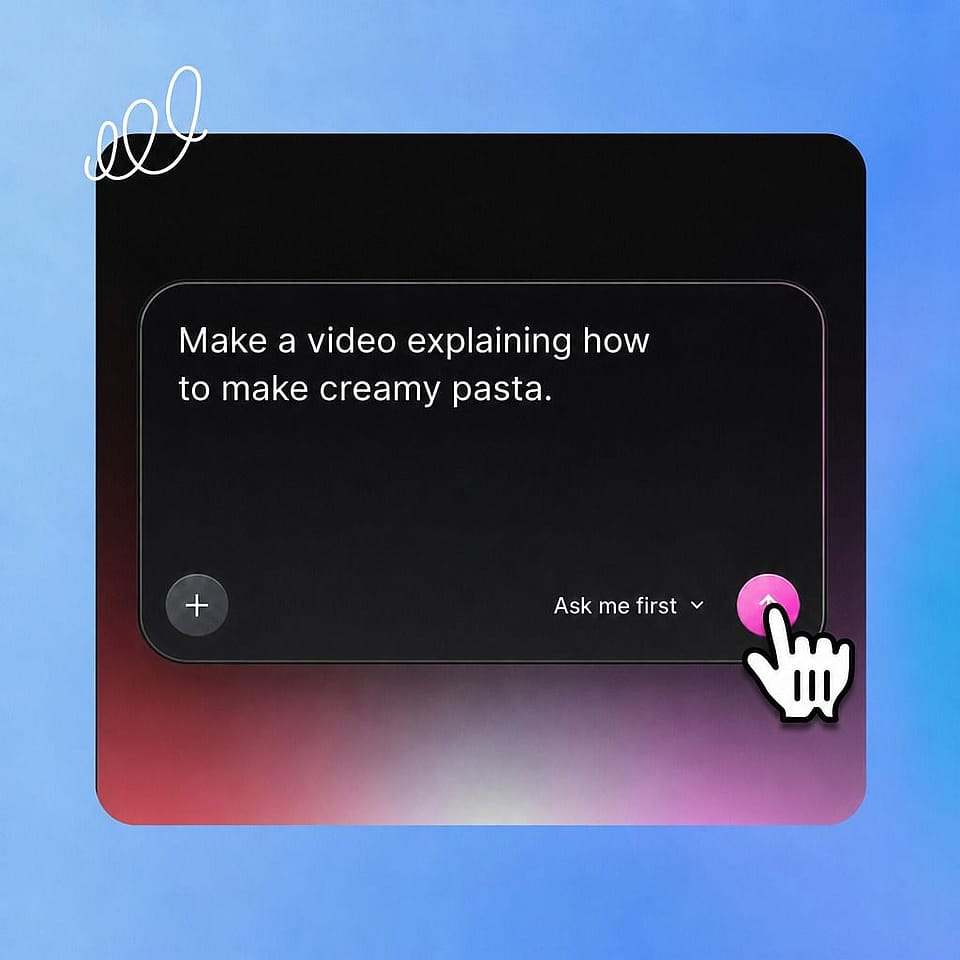
Describe your script.
Paste your script or type the topic into the prompt box. Add your logo, a reference look, or a voiceover to steer it.
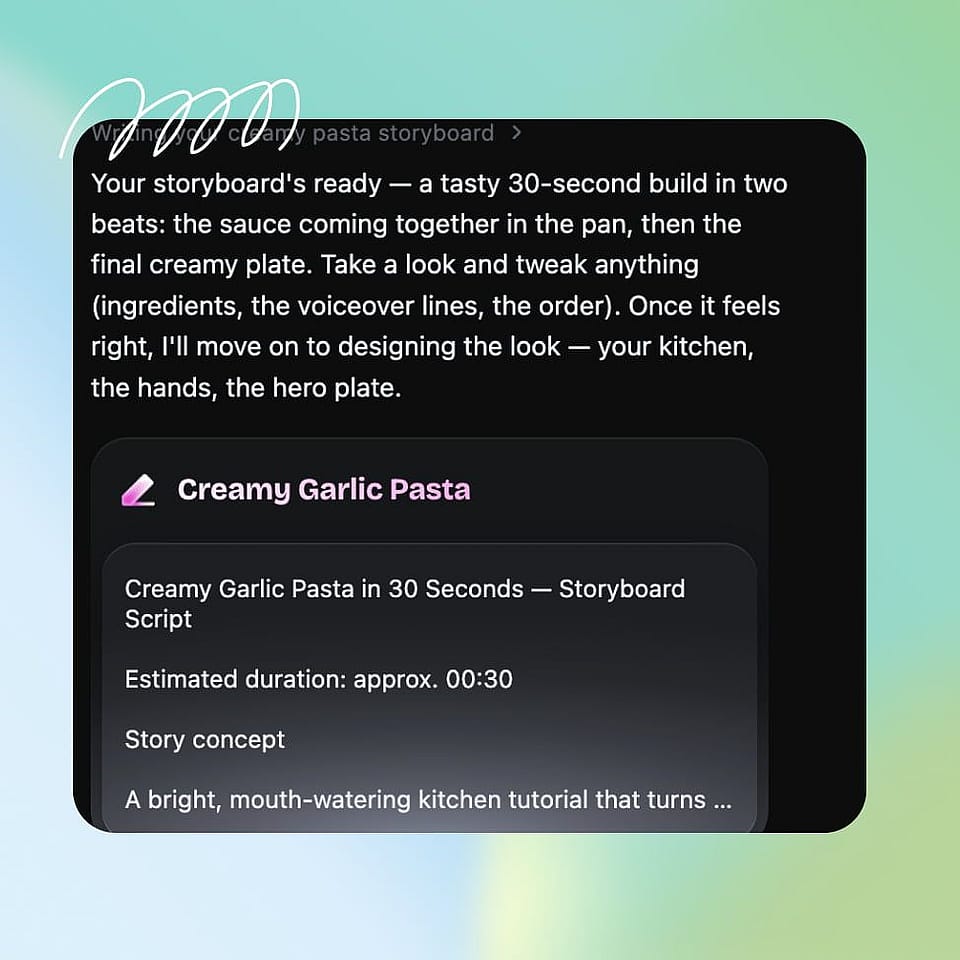
Set the direction.
Confirm the style, the length, and the narration. Ori, the built-in assistant, can ask you about each choice or run with the best settings on its own, then start generating.
Refine and export.
Review the scenes in Scenes tab or the full video in Timeline tab, give feedback on any shot, then export your finished explainer for the web, a deck, or social.
Best Uses of Explainer Video Generator
From a product walkthrough to a classroom lesson, here is what people use it for:
Product and SaaS explainers
You need to show what your product does without a long demo call. Build a clear explainer that walks a prospect through the value in under a minute, ready for a landing page or a sales email.
Try it NowCourses and lessons
You teach and want lessons that hold attention. Turn a topic into a visual explainer that breaks the idea into steps, so students follow along instead of rereading a slide.
Try it NowOnboarding and how-to videos
You answer the same questions over and over. Make how-to and onboarding explainers that show users exactly what to do, and update them by editing the script when the product changes.
Try it NowMarketing and landing page videos
You want a video that explains the product and converts. Build a punchy explainer for the top of a landing page or an ad, then spin up variations to see which framing lands.
Try it NowLoved by Creators Worldwide
See what our community has to say
I've tried many AI platforms… but OpenArt is still the best for character creation, image-to-video quality, and the variety of models available.
OpenArt offers an excellent array of AI tools… once you learn the features, the creative possibilities are amazing - and their support team is outstanding.
OpenArt is a very versatile AI platform with many image and video models, consistent character creation, and powerful editing tools.
Helpful AI tools all in one place - image and video generation, editing, and more… no need for multiple subscriptions.
Customer service is always quick and helpful… and the platform keeps getting better with new features and tools.
I've tried many AI platforms… but OpenArt is still the best for character creation, image-to-video quality, and the variety of models available.
OpenArt offers an excellent array of AI tools… once you learn the features, the creative possibilities are amazing - and their support team is outstanding.
OpenArt is a very versatile AI platform with many image and video models, consistent character creation, and powerful editing tools.
Helpful AI tools all in one place - image and video generation, editing, and more… no need for multiple subscriptions.
Customer service is always quick and helpful… and the platform keeps getting better with new features and tools.
I've tried many AI platforms… but OpenArt is still the best for character creation, image-to-video quality, and the variety of models available.
OpenArt offers an excellent array of AI tools… once you learn the features, the creative possibilities are amazing - and their support team is outstanding.
OpenArt is a very versatile AI platform with many image and video models, consistent character creation, and powerful editing tools.
Helpful AI tools all in one place - image and video generation, editing, and more… no need for multiple subscriptions.
Customer service is always quick and helpful… and the platform keeps getting better with new features and tools.
With so many AI platforms out there, OpenArt stood out as a stellar choice - I'd recommend it to any creator.
This platform includes everything you need for AI content creation - images, video, characters, audio, and multiple AI models in one place.
OpenArt is pushing the boundaries of AI video creation… and it's clear the team is committed to improving the creator experience.
I made my first AI music video with OpenArt… and their support team was the best help I've ever experienced.
I'm very happy with the support - my issue was resolved quickly and the team made the process easy.
With so many AI platforms out there, OpenArt stood out as a stellar choice - I'd recommend it to any creator.
This platform includes everything you need for AI content creation - images, video, characters, audio, and multiple AI models in one place.
OpenArt is pushing the boundaries of AI video creation… and it's clear the team is committed to improving the creator experience.
I made my first AI music video with OpenArt… and their support team was the best help I've ever experienced.
I'm very happy with the support - my issue was resolved quickly and the team made the process easy.
With so many AI platforms out there, OpenArt stood out as a stellar choice - I'd recommend it to any creator.
This platform includes everything you need for AI content creation - images, video, characters, audio, and multiple AI models in one place.
OpenArt is pushing the boundaries of AI video creation… and it's clear the team is committed to improving the creator experience.
I made my first AI music video with OpenArt… and their support team was the best help I've ever experienced.
I'm very happy with the support - my issue was resolved quickly and the team made the process easy.