


Your Favorite Models — All in One Place, with Unlimited Generations.

Enjoy Limited Time 50% OFF! ›

AI Music Video Generator

OpenArt's AI music video generator turns your song into a complete music video. Upload a track and the visuals cut to the rhythm automatically, put your AI artist in every scene, and shape the look for any genre.

AI Music Video Generator

OpenArt's AI music video generator turns your song into a complete music video. Upload a track and the visuals cut to the rhythm automatically, put your AI artist in every scene, and shape the look for any genre.

Start Creating for Free
#2BenefitsEdit in CMS ↗

Key Benefits of AI Music Video Generator

Synced to the beat

Drop in your track and the cuts, motion, and energy lock to the rhythm automatically, so the visuals hit on the beat without you timing a single frame.


Your artist throughout

Place your AI character in every scene and they stay the same person, look, and style across the whole video, so it reads as one artist's music video.

Track-to-video fast

Go from an uploaded song to a finished music video in minutes, no shoot and no editing suite. Free to try, so you can see your track come to life first.

#3Community GalleryEdit in CMS ↗

Community Creations

See the music videos people are making with OpenArt, from independent artists to pro creators.

#4Features DetailEdit in CMS ↗

Key Features of AI Music Video Generator

You bring the song and the moves. It builds the scenes, the performance, and the cut.

Upload your own track

Add your song and the AI builds the video from the audio itself, cutting to the beat and reacting to the energy of the track. As an AI video from music, it turns the sound you already have into picture, drop, build, and chorus included.

Describe your vision by chat

Type what you want to see and the AI builds every scene to match. A text to music video AI takes your concept, a desert at night, a neon city, a single performance shot, and turns the words into visuals that move with the song.

Your artist on screen

Put your AI character front and center and keep them consistent in every scene and every format. Pull a character from OpenArt's Characters library or lock one in from a reference image, and the same artist carries the vertical cut and the wide cut alike.

Lip sync to the lyrics

When your artist sings on camera, the performance syncs to your vocals, so the mouth matches the words line by line, in any language. The video feels naturally performed, not pasted over a track.

Visuals for any genre

Name the genre and the dance moves follow it. Generate rhythmic visuals for hip-hop, pop, lo-fi, metal, or EDM, or build a clean AI music visualizer when you want the audio itself to drive abstract motion instead of a narrative.

#5How To UseEdit in CMS ↗

How to Make a Music Video with OpenArt

Vibe directing a music video takes three steps.
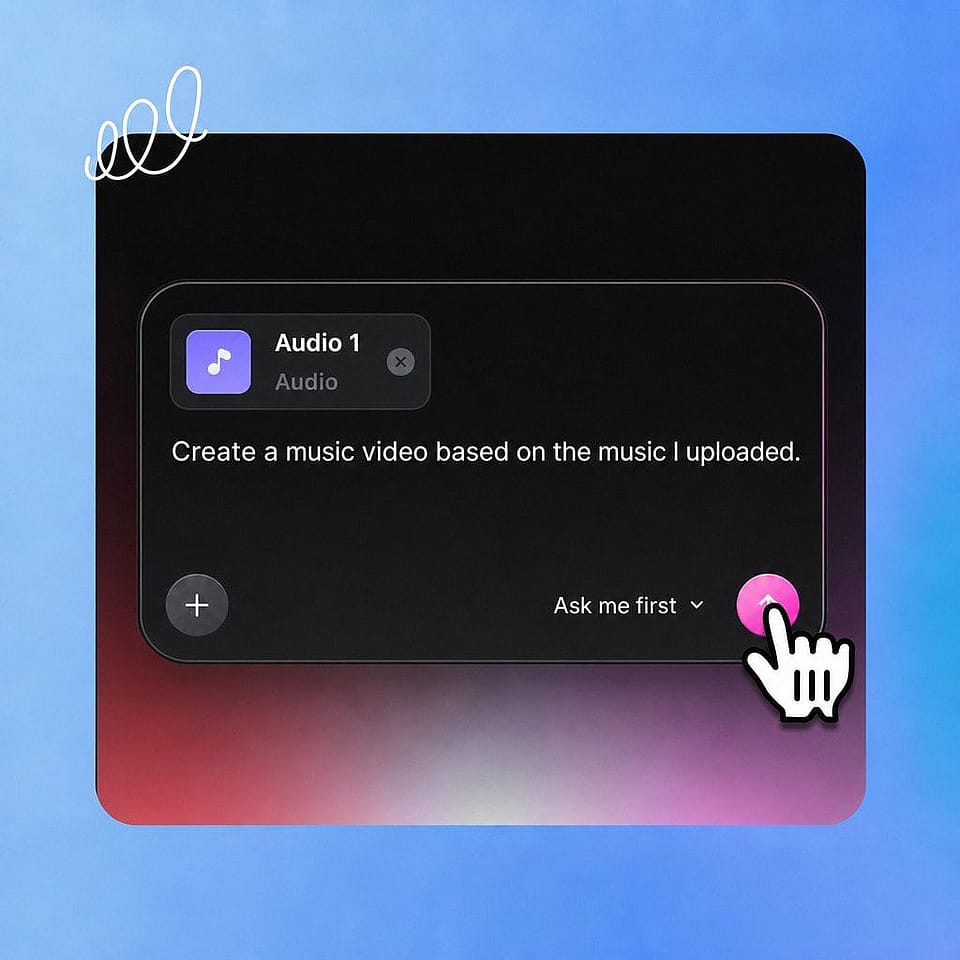
Upload your track.
Step 01

Upload your track.

Use the plus button to add your song, then describe the video you want in the prompt box. Add a reference image of your artist or one of your saved characters.
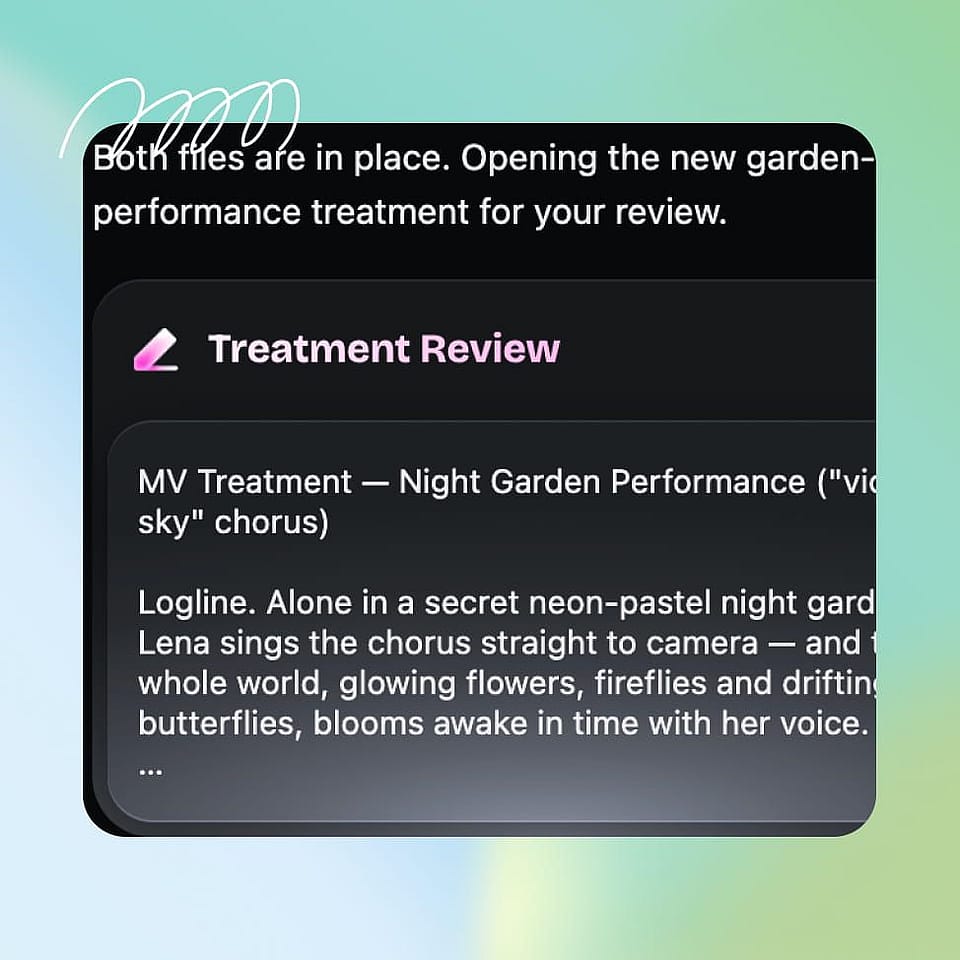
Set the direction.
Step 02

Set the direction.

Confirm the style, the aspect ratio, and the genre. Ori, the built-in assistant, can ask you about each choice or run with the best settings on its own, then start generating.
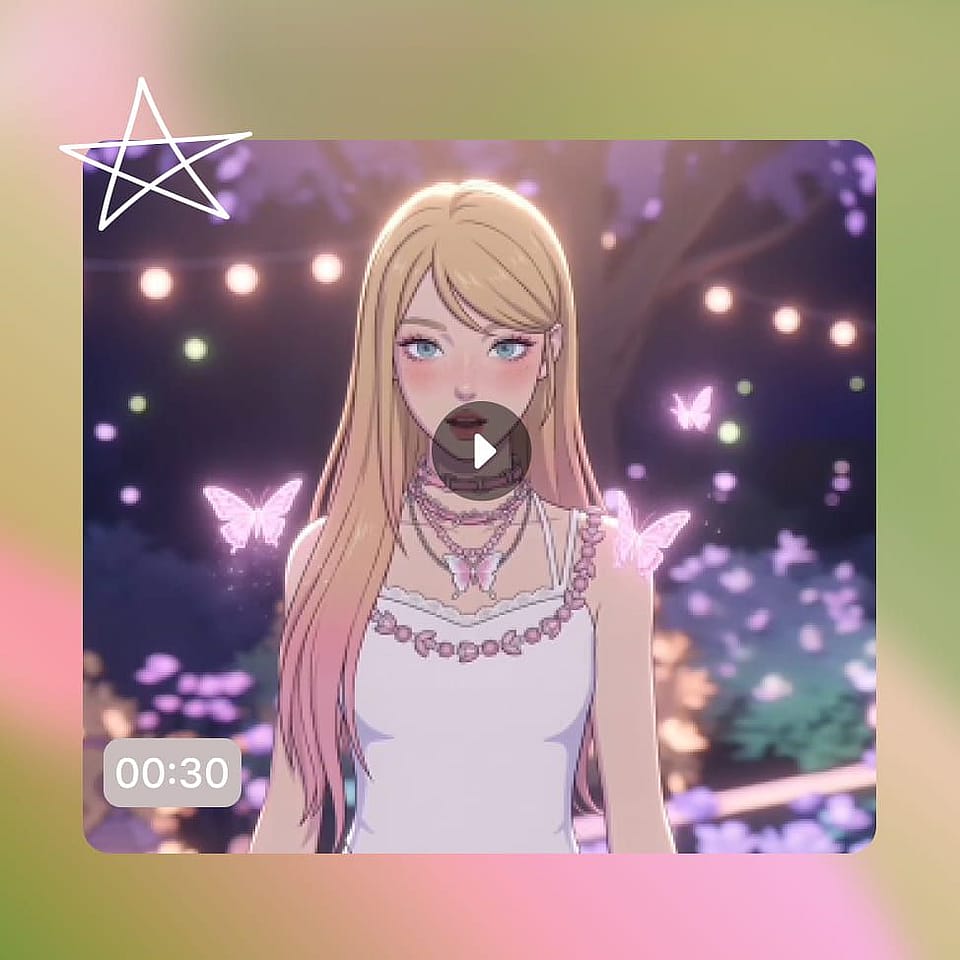
Refine and export.
Step 03

Refine and export.

Review the scenes in Scenes tab or the full cut in Timeline tab, give notes on any moment, then export your music video for YouTube, Reels, or a release.

#6Use CasesEdit in CMS ↗

Best Uses of AI Music Video Maker

From a debut single to a branded audio drop, here is who uses it and for what:

Independent musicians and artists

You released a track and cannot afford a video shoot. Give your single a real music video with your AI artist performing it, and ready for release, without a director or a budget.

Try it Now

Content creators and social media

You post to a soundtrack and need visuals that move with it. Turn any track into vertical clips for Reels, TikTok, and Shorts, and keep a steady stream going without filming.

Try it Now

Music marketers and labels

You promote releases and need video on every drop. Produce music videos, lyric visuals, and teasers at the pace of a release calendar, each one on brand and ready for paid and organic.

Try it Now

Podcasters and audio brands

You have audio that deserves a visual. Turn an episode clip, a theme, or a teaser into a music-driven video, so your audio show has something to share and play on screen.

Try it Now

Frequently Asked Questions

It is a tool that turns a song into a finished music video. OpenArt's AI music video maker processes your track, generates the visuals according to the tune, and builds every scene around your concept, so you get an AI generated music video without a shoot or an editor.
OpenArt's AI music video creator runs on OpenArt Director, which is powered by GPT Image 2 for the images and Seedance 2.0 for the motion visuals.
Yes. You can build an AI music visualizer where the audio itself drives abstract motion. The AI visualizer generator works for any genre when you want visuals over narrative.
Set the aspect ratio you need and create music video AI cuts sized for YouTube, Reels, TikTok, or Shorts, each keeping your artist and look consistent across formats.
Upload your track, describe the video you want, and the generator builds rhythmic scenes you can shape by talking. Give notes on any moment, then export the finished video.
Yes. Add your track and the AI builds the video from the audio, so an AI video from music turns your existing song into picture. You can also start from a concept with a text to music video AI.
Yes, your finished videos are yours to use commercially. Make sure you hold the rights to the song, and run any IP checks in OpenArt if you used reference images or content from somewhere else.

Create without limits

Join thousands of creators using OpenArt to generate stunning images, videos, and more — all in one platform.

Get Started for Free →


