


Your Favorite Models — All in One Place, with Unlimited Generations.

Enjoy Limited Time 50% OFF! ›

AI Movie Maker

OpenArt's AI Movie Maker turns an idea, a script, or a single prompt into a cinematic movie. Plan the story, generate the scenes, and shape the look until it plays like actual film.

AI Movie Maker

OpenArt's AI Movie Maker turns an idea, a script, or a single prompt into a cinematic movie. Plan the story, generate the scenes, and shape the look until it plays like actual film.

Start Creating for Free
#2BenefitsEdit in CMS ↗

Key Benefits of AI Movie Maker

Text-to-video workflow

Start from text, a script, or a prompt. The AI movie generator turns whatever you bring into cinematic scenes, so a rough idea becomes a real movie.


Fully cinematic

Film-grade lighting, lensing, and motion across every scene. The output looks like cinema, not a stack of stock generations with a song on top.

Coherent storytelling

Hold a narrative arc and a consistent cast from the opening shot to the credits, so your movie looks as one story instead of disconnected pieces.

#3Community GalleryEdit in CMS ↗

Community Creations

See the movies people are making with OpenArt, from first-time storytellers to creators building cinematic worlds scene by scene.

#4Features DetailEdit in CMS ↗

Key Features of AI Movie Generator

You bring the story. It plays the camera department, the editor, and the sound team.

Start From Text or Image

Start however your idea arrives. Type a prompt, paste a full script, or drop in a reference image, and the maker turns it into cinematic footage. Text to movie, script to movie, and image to movie all run through the same flow, so a prompt to movie takes minutes, not a production schedule.

Storyboard the Narrative Arc

Before anything renders, the maker lays your movie out as a storyboard, scene by scene, so you can see the whole arc first. Reorder beats, strengthen the setup, or sharpen the ending, then generate one connected, multi-scene movie instead of stitching clips together by hand.

Vibe Direct by Chatting

You keep shot control the whole way. Ask for a wide establishing shot, a slow push-in, or a handheld feel, and the scene generation follows your cinematic style. Each note reshapes just that shot, so the movie plays the way you pictured it.

Consistent Characters & World

Pull a character from OpenArt's Characters library or lock one in from a reference image, and that face, wardrobe, and style hold across every scene. Character consistency is what makes a generative film read as one movie rather than a series of look-alikes.

Quality Voiceovers and SFX

Quality Voiceovers and SFX

Cinema is sound as much as picture. Add a score, write dialogue or voiceover in any language with synced delivery, and place sound design where the scene needs weight. Your AI storytelling lands with full audio, rendered into the final cut.

#5How To UseEdit in CMS ↗

How to Direct a Movie with OpenArt

Vibe directing a movie with the AI Movie Maker takes three steps.
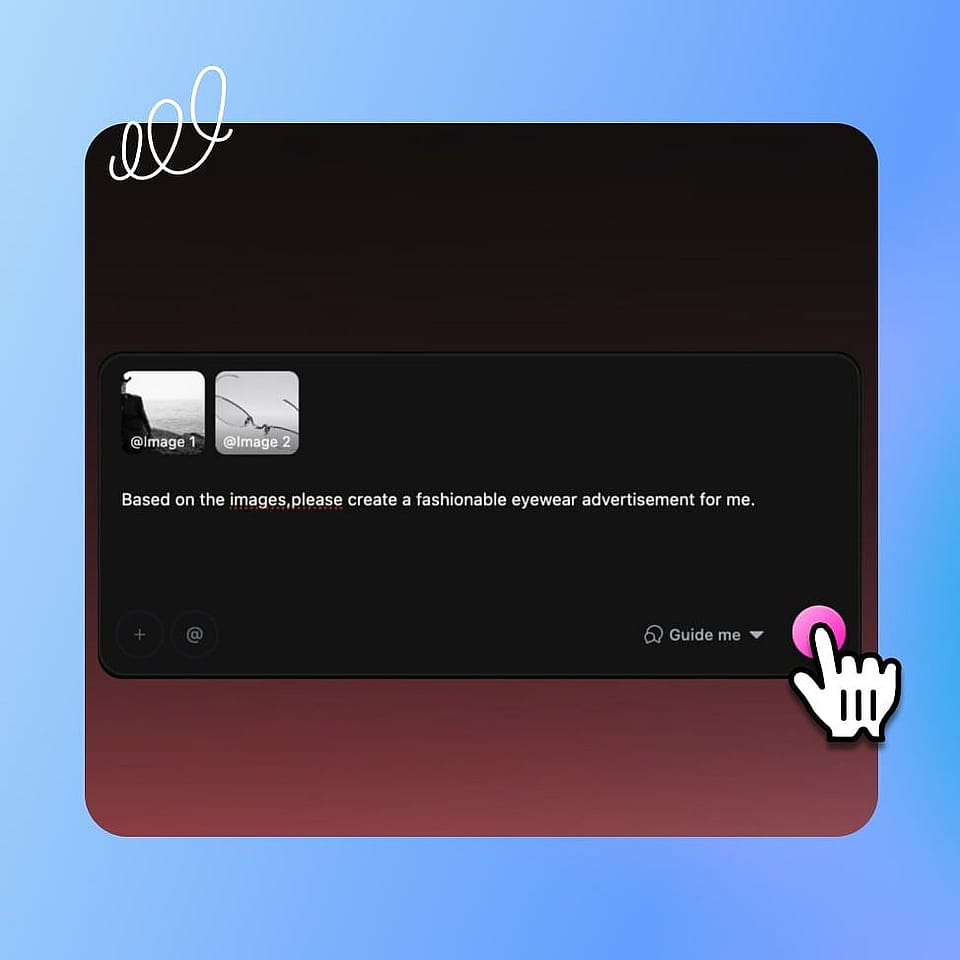
Describe your movie.
Step 01

Describe your movie.

Type your idea, paste a script, or drop in a reference image in the prompt box. Add a soundtrack or one of your saved characters to steer the look.
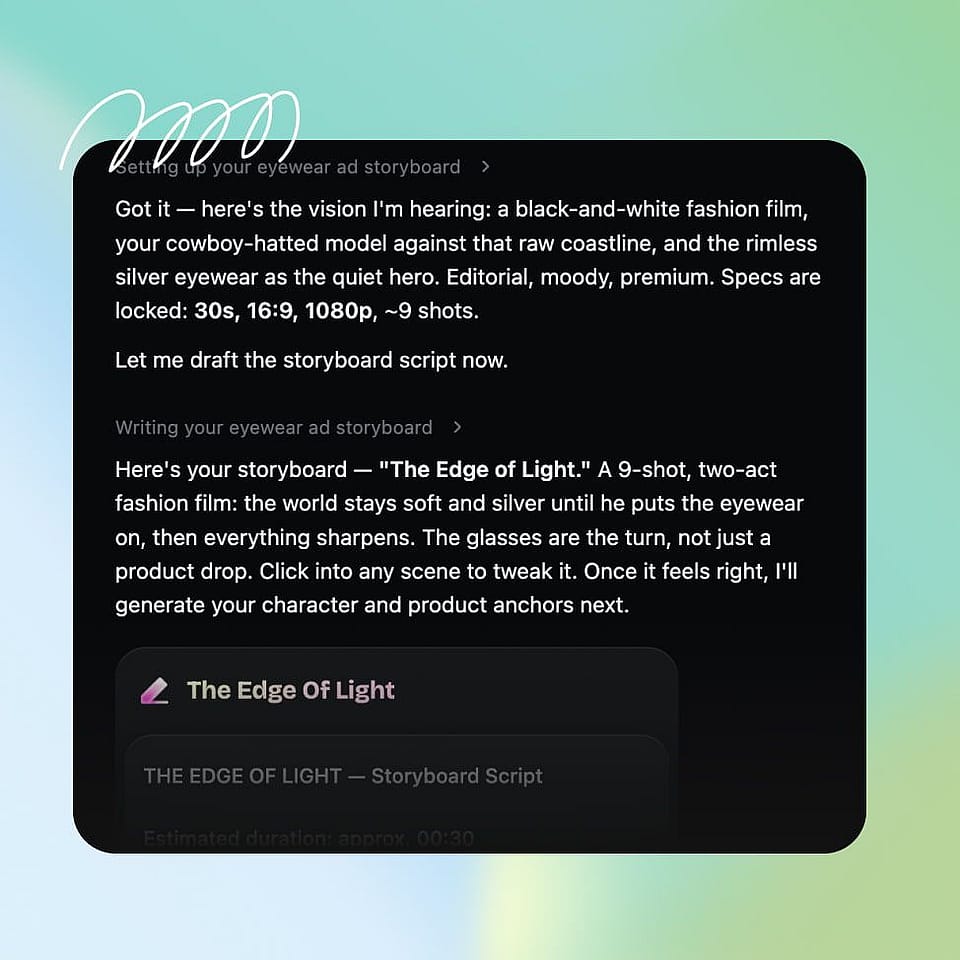
Set the direction.
Step 02

Set the direction.

Confirm the aspect ratio, the cinematic style, and the tone. The AI assistant can ask you about each choice or run with the best settings on its own, then start generating.
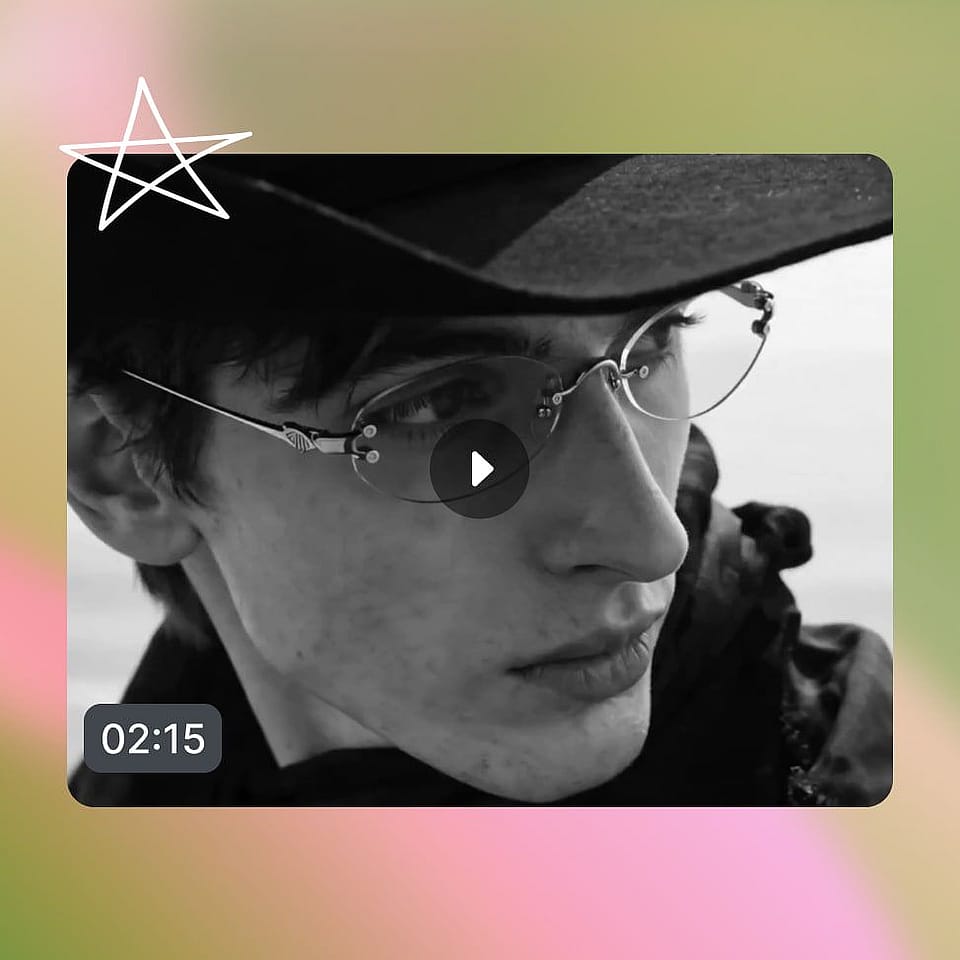
Refine and export.
Step 03

Refine and export.

Review the storyboard in the Scenes tab or the full cut in Timeline view, give feedback on any shot to iterate, then export your finished movie in up to 4K.

#6Use CasesEdit in CMS ↗

The AI Movie Creator Is Built for Every Vision

From a short film to a branded story, here is what people use it for:

AI Short Films

You have a story but no budget or crew. Turn a script or a prompt into a cinematic AI short film you can screen, with complete voiceovers (TTS) and SFX, building the arc scene by scene in a single afternoon.

Try it Now

Genre and Concept Movies

You want to see a specific world: noir, sci-fi, horror, fantasy. Set the cinematic style and the maker shapes the lighting, color, and camera to match, so a generative film looks like the genre it belongs to.

Try it Now

Adapt Existing Scripts

You already have words on the page. Use it as a script to movie tool that reads your screenplay, storyboards it, and turns your scenes into a watchable cut you can share or pitch.

Try it Now

Story-driven Branded Films

You make content or run a brand and want cinematic storytelling, not just clips. Build narrative spots and short films that hold an audience, then adapt them for different channels.

Try it Now

Frequently Asked Questions

An AI movie maker is a tool that turns text, scripts, or images into finished cinematic movies. OpenArt's AI movie generator handles the scene generation, shot control, characters, and sound, so you can make a movie with AI without a camera, crew, or editing software.
Yes. As a text to movie AI, it turns a prompt into cinematic scenes. You can also start from a script for script to movie AI, or from a still image, and build it into your film.
Yes. Add a score, write voiceover or dialogue in any language with synced lip movement, and place sound design where a scene needs it, all rendered into the final cut.
Yes. You can start making movies free, then move to OpenArt's video plans when you need longer projects, more generations, and higher-resolution exports.
Many AI filmmaking tools hand back a single clip from a prompt. OpenArt is a full AI cinematic video maker: it storyboards the arc, lets you direct every shot, holds your cast consistent, and renders sound, so the output is a real movie.
Describe your idea, paste a script, or drop in an image. OpenArt storyboards the narrative arc, you give notes on the shots and pacing, and it generates a connected, multi-scene movie with a cinematic look and sound.
Yes. The movie maker lays out a full storyboard before anything renders, so you can see and adjust the whole arc, then generate one multi-scene movie instead of stitching clips together.
The AI Movie Maker is built for cinematic short films and multi-scene sequences rather than feature length. It joins multiple scenes into one connected movie, and you can extend a scene to keep it going.
Yes, your finished movies are yours to use commercially, subject to OpenArt's terms. Run any IP checks if you used reference images, footage, or characters from somewhere else.

Create without limits

Join thousands of creators using OpenArt to generate stunning images, videos, and more — all in one platform.

Get Started for Free →


